01Media management
All your media. Clearly organized.
Bring images, videos and documents together in one place. Metadata, tags and versions give your library structure as it grows.
Explore media management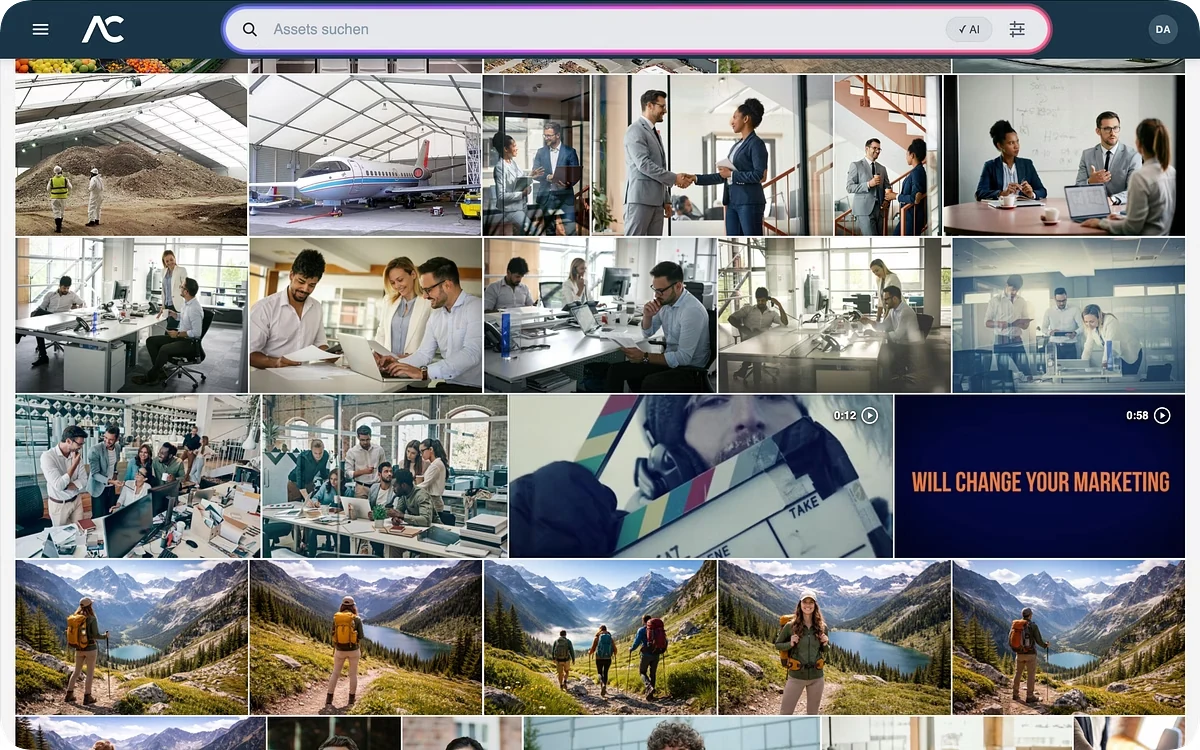
AdmiralCloud DAM features
Collect media, find content, review it together and share it with the right people. Explore the tools that connect each step.
01 / Organize
01Media management
Bring images, videos and documents together in one place. Metadata, tags and versions give your library structure as it grows.
Explore media management02Upload links
Collect media from photographers, agencies and partners through an upload link. Dropsites let external contributors deliver files without creating a new DAM user.
Explore upload links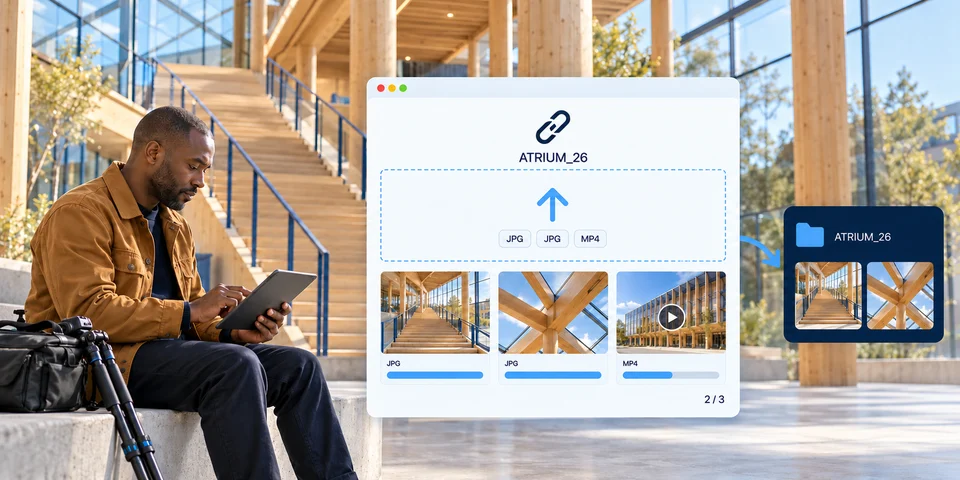
02 / Find
03AI-assisted preparation
AI helps describe, tag and translate your media. That additional context makes content easier to prepare and find again.
Explore AI-assisted preparation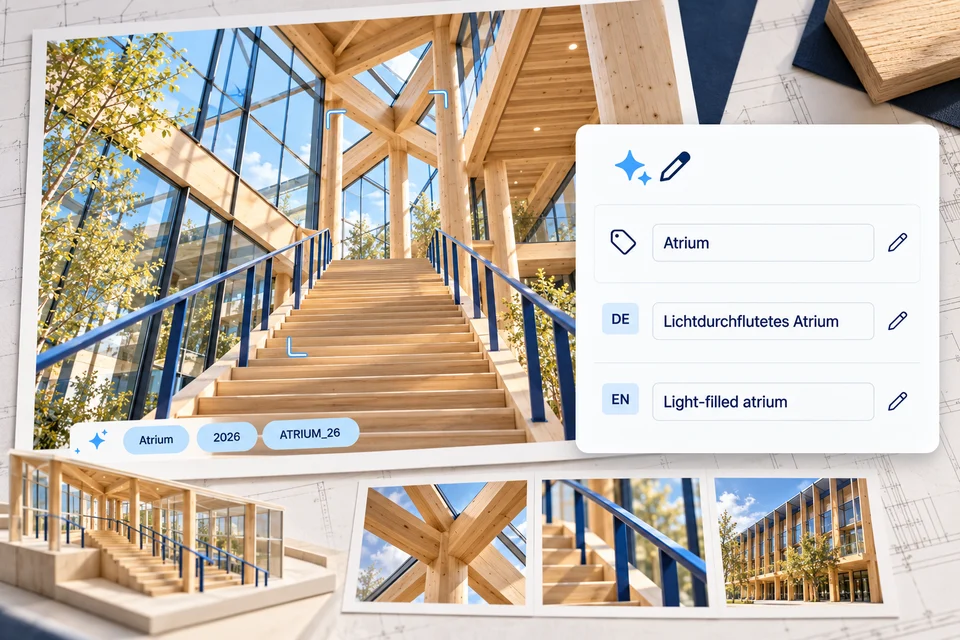
04Search & AI
Use metadata, filters and AI-assisted search to find relevant content. Choose the search approach that fits your task, rather than working through folders.
Explore search & AI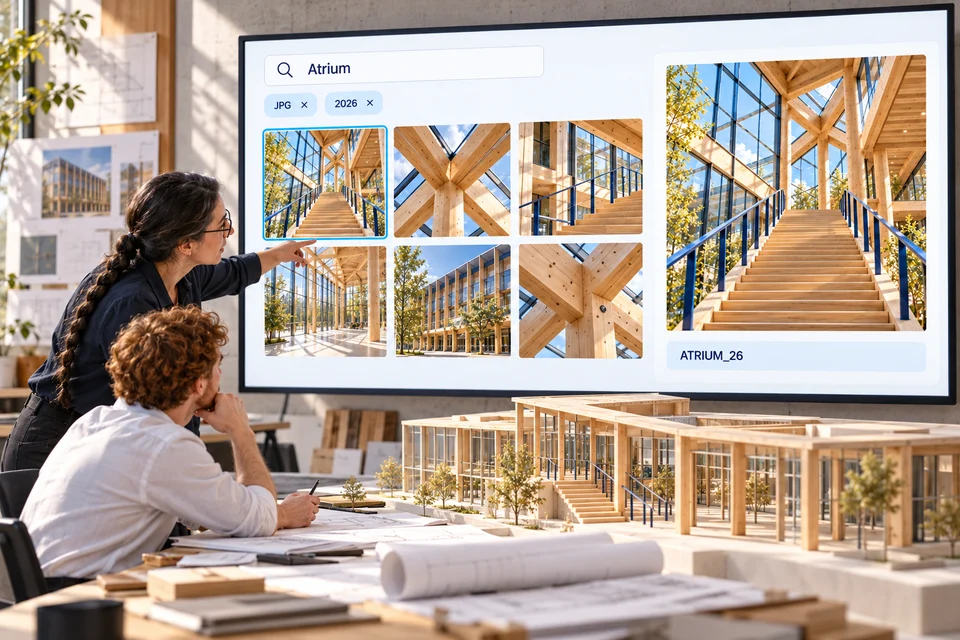
03 / Collaborate
05Rights & licenses
Keep usage rights, expiry dates and restrictions with the asset. Your team can check the relevant conditions before using it again.
Explore rights & licenses06Collaboration
Review images and videos together, keep feedback with the content and agree on the next steps. With your team and external contributors.
Explore collaboration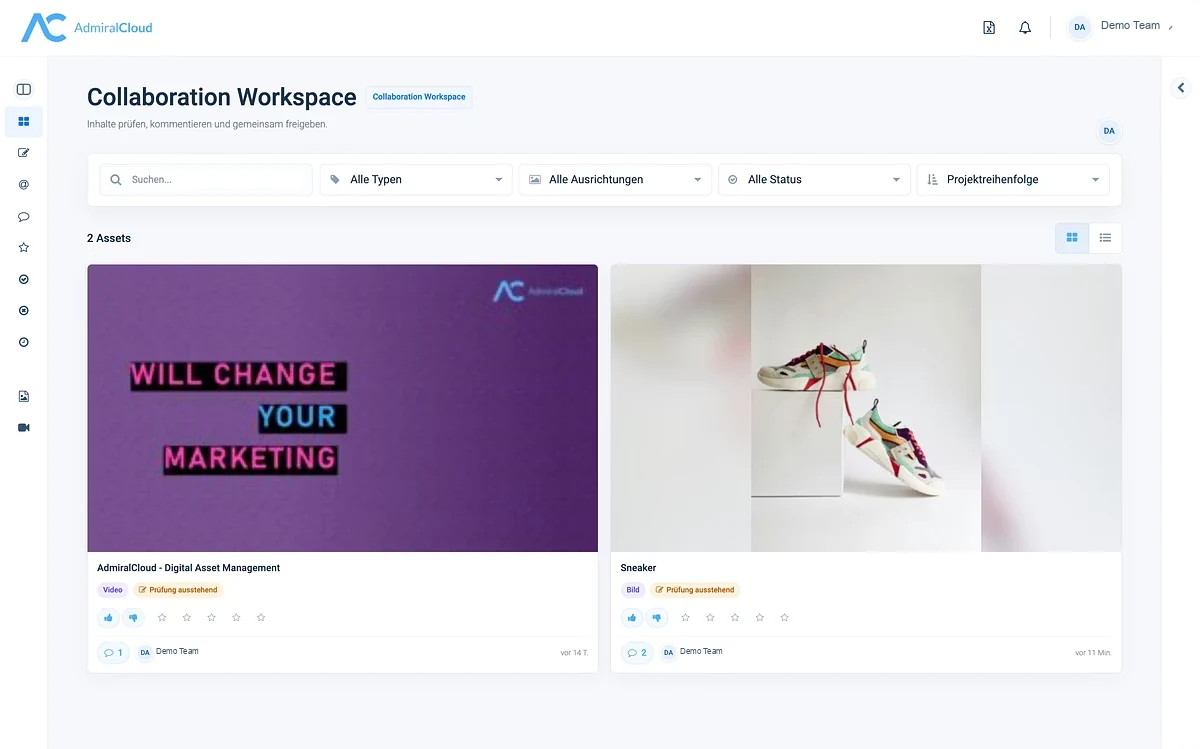
04 / Share
07Media delivery
Crops, output formats and web links prepare media for reuse. The original remains the common starting point for your work.
Explore media delivery08Share selected media
Bring together media for a campaign, the press or a project and share it through a link. PressArea gives recipients access to the content selected for them.
Explore media sharing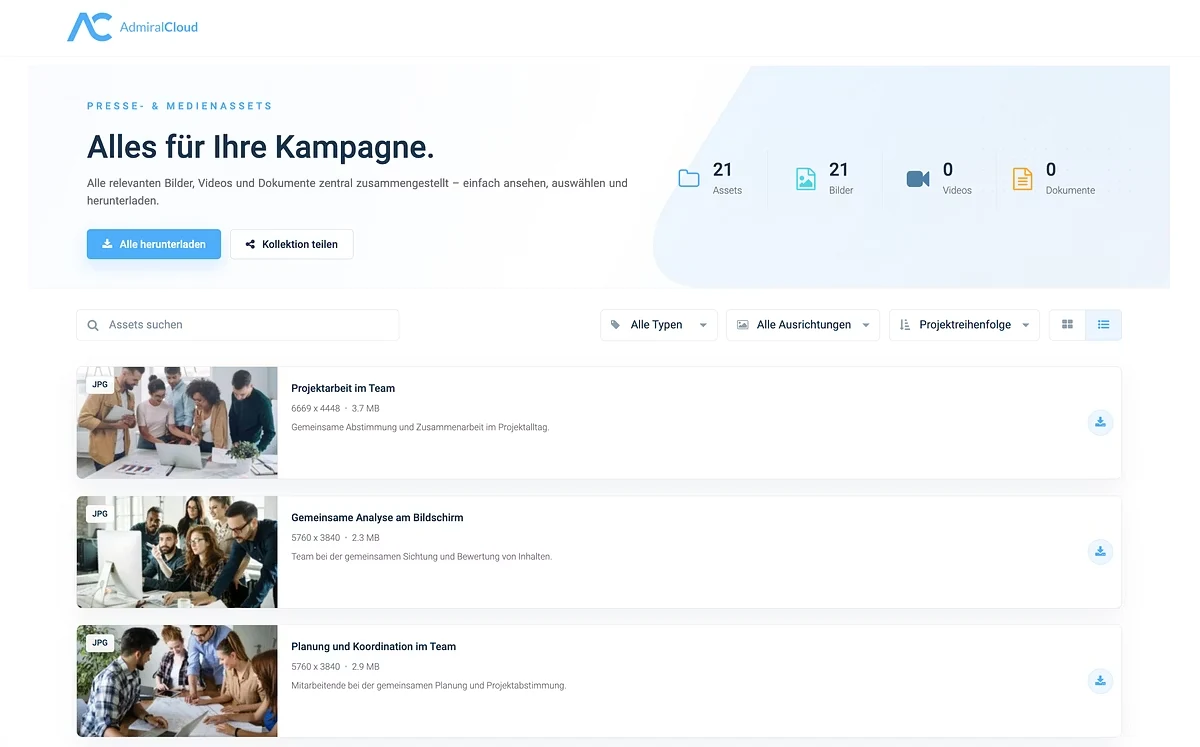
09Media portals
A media library gives teams, partners and other audiences access to approved content. Search, select and download media through a shared entry point.
Explore media portals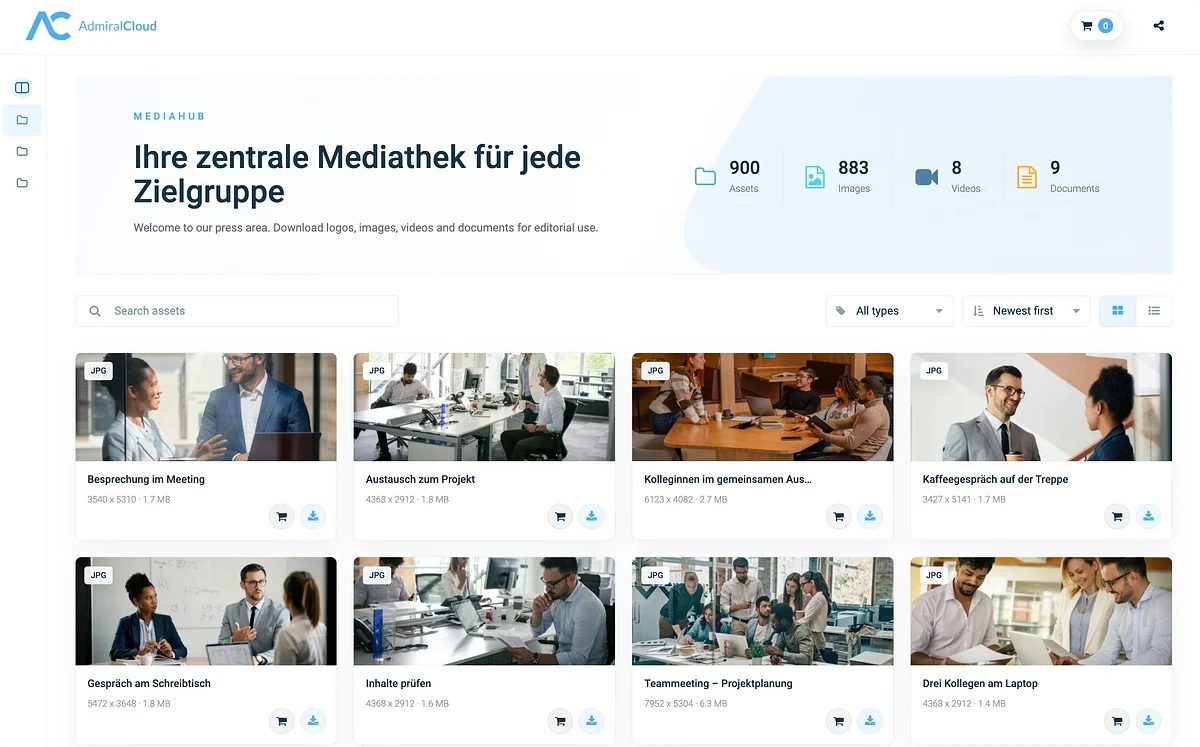
05 / Connect
10Integrations
Connect media workflows with creative tools, office applications and CMS. Explore the available integrations and connection options.
Explore integrations11Security
Roles, permissions and security groups govern access to your media. Make content available to the teams and tasks it is intended for.
Explore securityA closer look
The detailed catalog below explains individual functions. For a team-specific interface on your central DAM, explore AdmiralCloud Medienwelt.
Evaluate for yourself
Take the information with you. Use your own AI to explore what fits your workflow — and what still needs clarification.
Information + review instructions. For the AI of your choice.
External services. These links pass only review instructions and a public source URL, not the Markdown document or personal information. Without a dialog, they open the service directly in a new tab.
AdmiralCloud · DAM features
Supplier information, not a product test.
For your evaluation
Your starting point
Which media task should become easier first?
Existing supplier summaries with sources and added review questions. Not an independent product test or a promise of package inclusion or performance.
You can also select this text and copy it manually. Do not add confidential information before checking your organization’s rules for the AI service you intend to use.
For orientation, not a substitute for a product test. Missing information remains an open question — not an automatically confirmed capability.
Explore recognition, search and tagging in detail, or follow the overview links to individual workflow pages.
Using the image recognition option, recognized image and video content can be directly tagged and saved to the corresponding media – this is a key tool for finding your media, especially when uploading significant media packages. This is particularly true where there are no resources for properly tagging and processing your media.
More about automatic keywordingWhether it’s multi-page press releases, presentations or PDFs, AdmiralCloud’s media asset management analyzes your text files, rendering them searchable, selectable and ready to edit. This feature massively speeds up your search, particularly when dealing with a great deal of text files.
More about text recognitionAdmiralCloud’s speech-to-text feature directly converts the spoken content of your film into text with almost no time delay, before saving the text file with the respective medium. Search through your media library for spoken content.
AdmiralCloud allows you to run a color analysis of all your media, displaying this information in your thumbnails. Search for images with a particular color scheme or mood with cross-archival results displayed within seconds.
AdmiralCloud analyzes your videos and images on request, categorizing them into objects, people and places. Search for comparable image content that hasn’t been allocated to IPTC or metadata.
With the face recognition feature, you can search your entire media archive for a particular person. Find board members or interviewees in seconds, even if their name hasn’t been added to the metadata.
AdmiralCloud allows you to reach complex search depths by offering the possibility of stringing together multiple search criteria. Filter by creation date, media tags or licenses. AdmiralCloud is multilingual, meaning your search is automatically carried out in all languages.
More details on how AdmiralCloud’s metadata handling can help you enrich your media with information are available here.
Explore search with filters, AI and reference imagesRenaming or deleting tags assigned to multiple media is quick and easy. Multilingual relations between tags are recognized and clearly displayed. Locate frequently or never used tags with global statistics.
More about batch processingAdmiralCloud’s tagsonomy allows tags or keywords to be viewed hierarchically. Interrelations are automatically picked up on, so they don’t need to be entered manually.
More about taxonomyPrevent ‘free-for-all’ media tagging. The AdmiralTagging Guard suggests certain tag taxonomies to users according to their rights, helping users follow a particular structure.
Tags can be automatically translated into further languages. English-language media can be found in German-language searches and vice versa.
More about tag managementUpload links
Dropsites are external microsites for file delivery. They let contributors supply media without creating a new user in AdmiralCloud.
Collect project media with DropSites
See upload workflows in a live demoFrom onboarding to day-to-day work, our Customer Success team helps you integrate AdmiralCloud into your organization and workflows.
Explore AdmiralCloud in a live demo and discuss the features that fit your media workflow.