MediaKit · Share selected media
Selected with care.
Shared with a link.
Bring together the media for an occasion. Your recipients find and download what they need themselves.
MediaKit is a modern template for a curated selection from your digital asset management system: images, videos and documents, available through one shared link.
 Product photo
 Product video
Materials & care
Sizes & finishes
For a specific occasion
Your selection. The right content for each recipient.
A press request, campaign or product material for retailers: provide the relevant content rather than opening up your entire DAM inventory. Recipients can search and filter the media in your MediaKit.
Search
Find a particular image or document within the media made available.
Filter
Narrow down the selection to the content you need.
Download
Select the media you need and download it for your work.
Product photo
Product video
Materials & care
Sizes & finishes
Keep your selection up to date
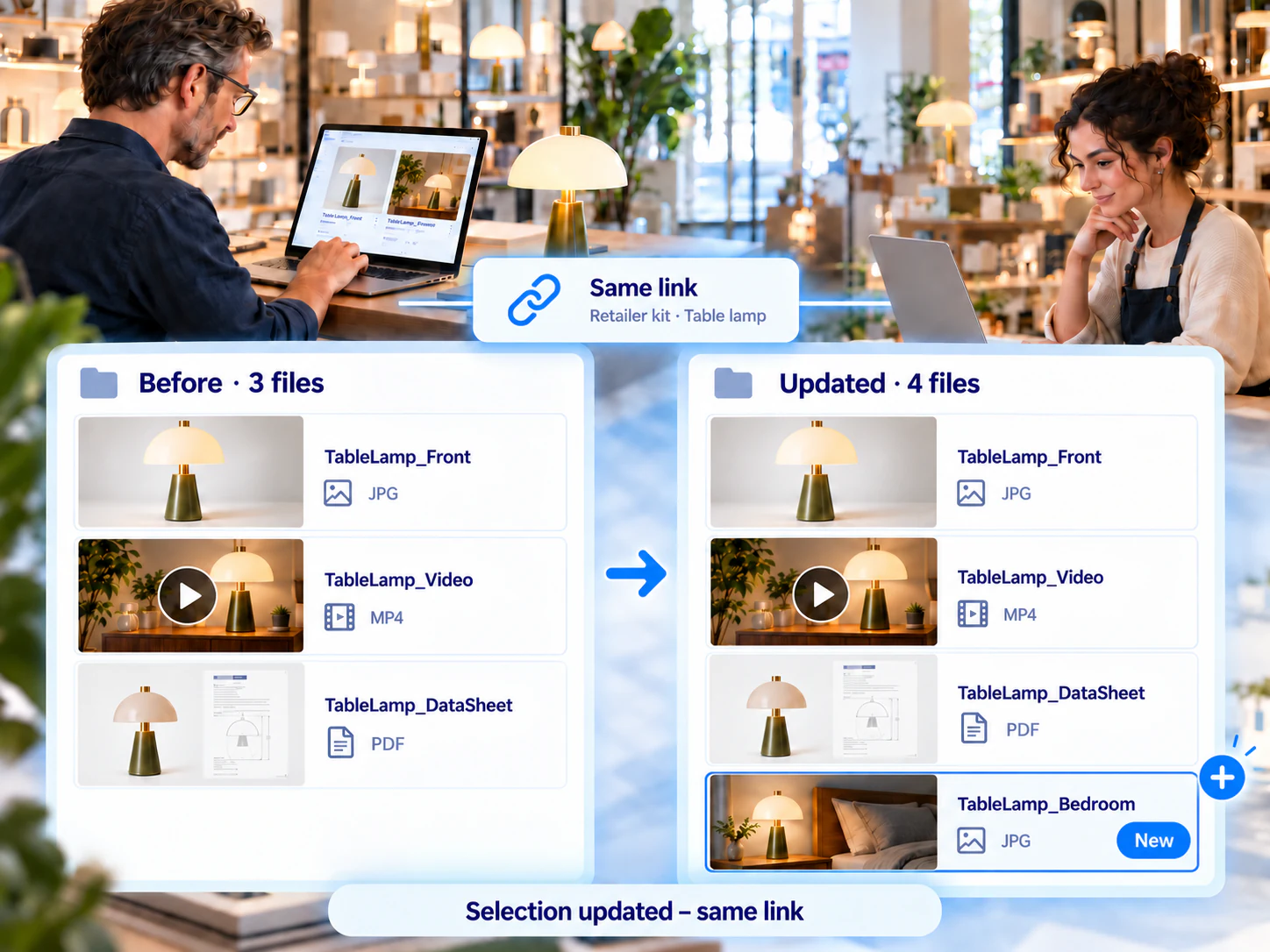
New content. The same link.
Missing an image? A document no longer relevant? Add media to your MediaKit or remove it. The selection updates automatically at the same link.
You do not need to send recipients a new selection link for these changes.
This changes the available selection, not files that have already been downloaded.
Choose how to provide access
You set the terms of access.
A MediaKit can be available for a set period and protected with a password. Both settings are optional.
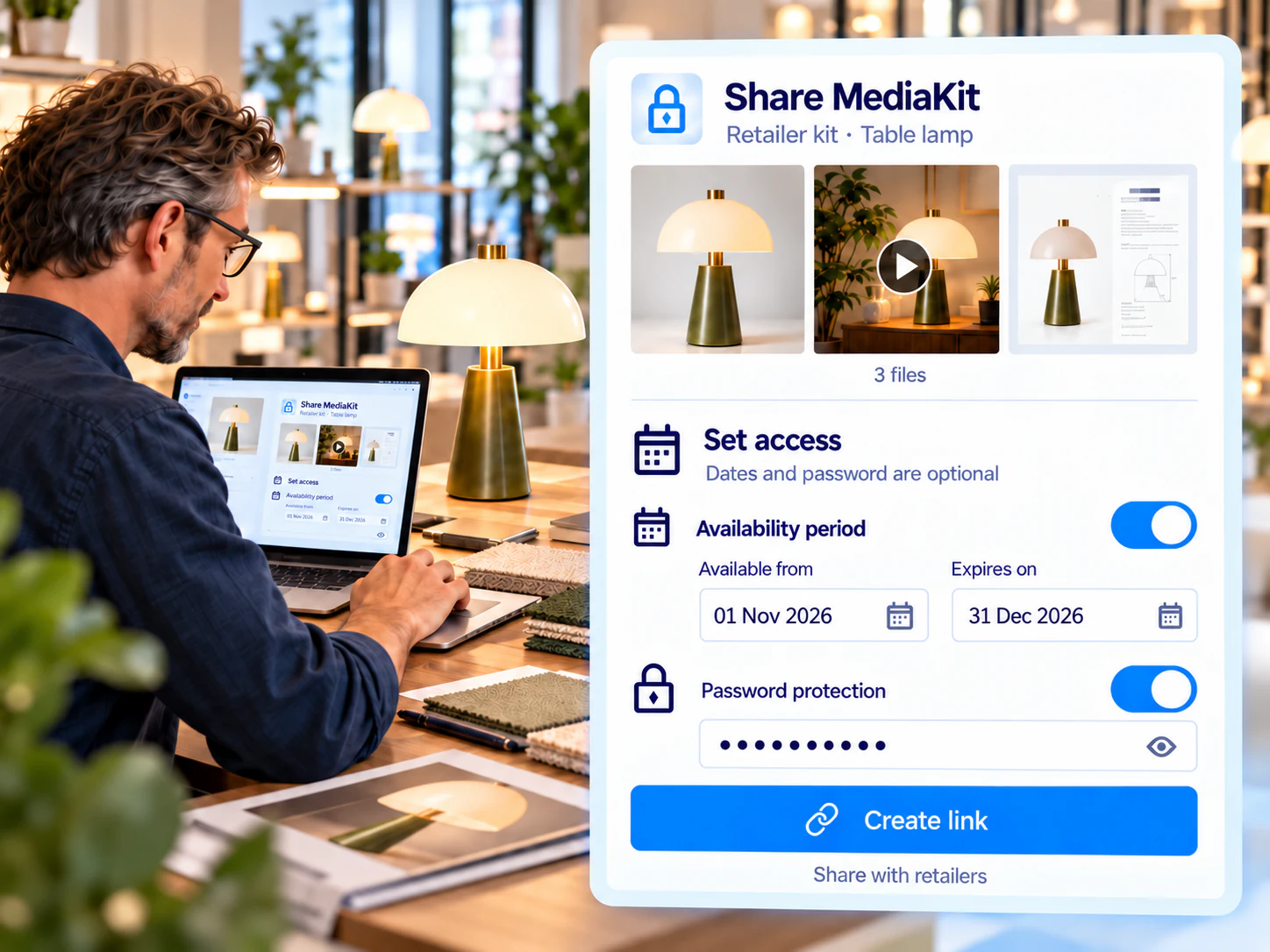
Access and usage rights are different questions. A link, password or access period does not replace checking how the media may be used.
Manage rights and licencesYour next MediaKit starts with a selection.
Discuss how you want to select and share media with your recipients in a live demo.